
All the requests made to retrieve the decrypted data of the Data Privacy Module fields are listed on the Pending Request page. The users with the Can Grant Access privilege can access the page and either accept or deny the request.
To Accept or Deny a request:
Go to Settings >> Configuration from the navigation bar and click Data Privacy Module.
Click the Pending Request tab.
Type: It specifies the purpose for which the user wants to access the decrypted data. The available options are: Report-Adhoc, Report-Scheduled, and Search.
Fields: It specifies the fields that the users have requested to access.
Start Date: It specifies the starting timestamp from which the data are to be decrypted.
Log Access Duration: It specifies the time duration for which the user can access the decrypted data.
Status: It displays the current status of the request.
Requested By: It displays the username of the requesting user.
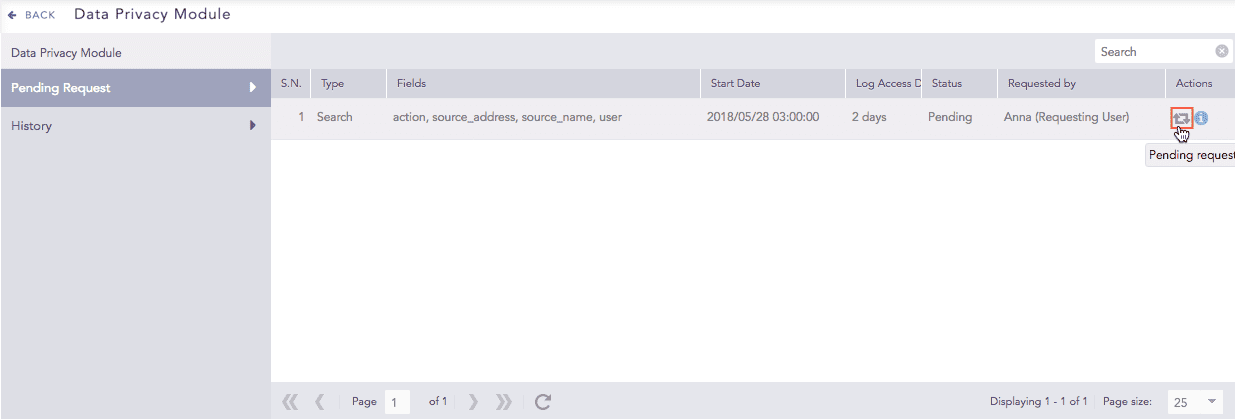
Pending Requests in Granting user’s view
In the Actions column, click the Pending Request icon to open the Search Request panel. This panel consists of all the details of the request.
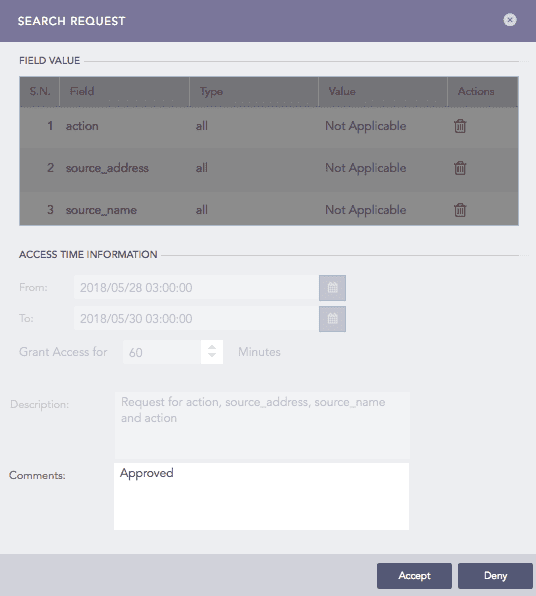
Search Request Panel
Add your comments in the Comments section.
Click Accept to approve the request or Deny to reject it.
Note
Adding comments is mandatory while Denying a request.
Once the granting user takes an action, the Status of the request is updated in the Settings >> Configuration >> Data Privacy Module >> My Request section.
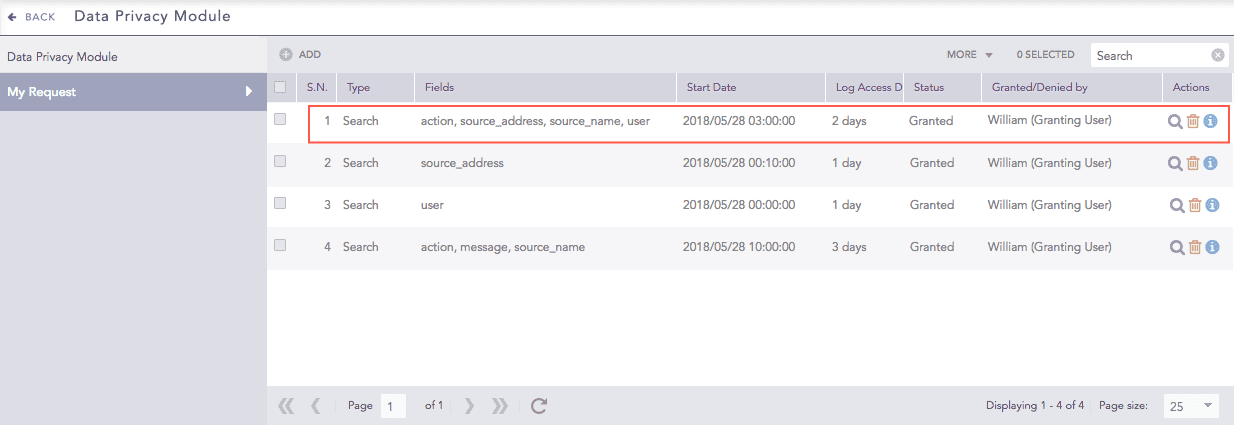
Granted Request
The requesting user also receives an email notifying them of the change in their request status.
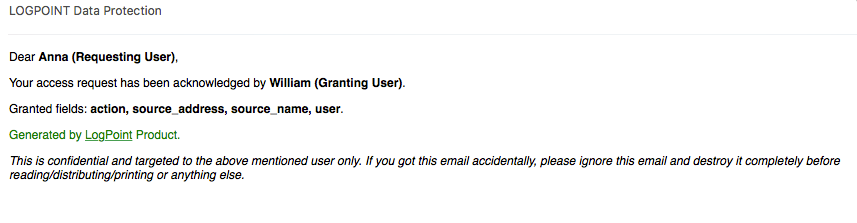
Email message to Requesting User